Oliver Dimes Blog

A programming blog containing some technical information but lots of ramblings about lots of different things!

  • A ramble about Microsoft one time codes

    For the last year, I’ve been having an issue with my main Microsoft account and it has been driving me crazy.

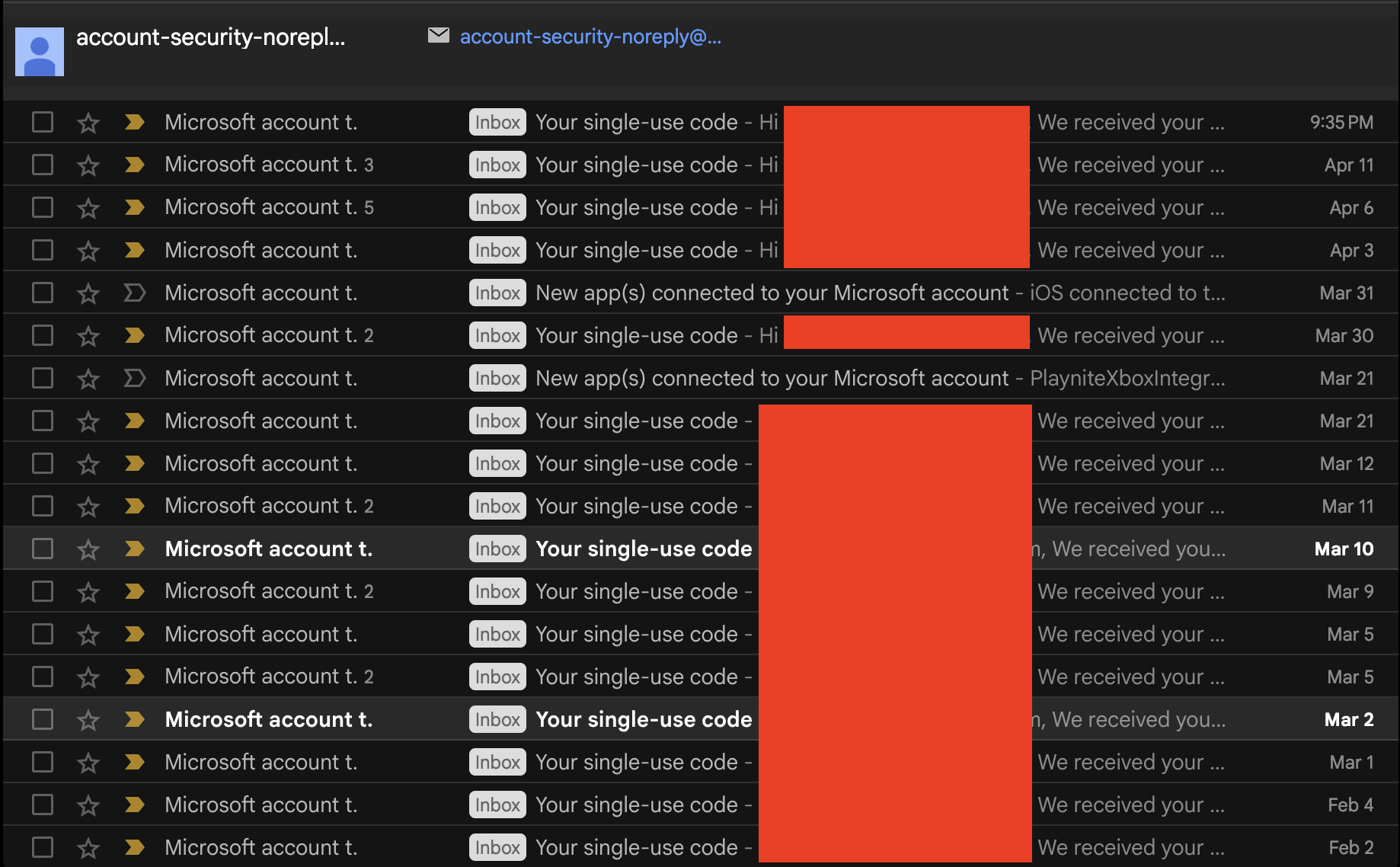
    Specifically it’s these email requests :

    At first, you might be wondering why I’m dedicating a post on my blog to a one time code email, and these sort of emails might be useful, especially in a case where your password is potenially out there and someone’s trying to access the account. Who should be mad?

    Well these emails don’t come from password attempts, they come from one time passcode requests and interestingly you don’t need a correct password to even send a request :
    Whilst I would just create a rule to block these notifications, I would like to know if someone was requesting a one time code and actually had my password rather then just blindly ignoring all these notifications.

    I even went as far as swapping the email address of the microsoft account and I’m still getting these emails associated with the original email address. I’m not sure what to do.

    And to make things even more confusing, my account security in Microsoft dashboard shows nothing so I’m certain my password is not comprimised.

    Forum discussions about this issue specifically :

    I’ll write a follow up if I get to the bottom of this.

  • A LibreHardwareMonitorCLI Tool

    When I was doing some research into ways of getting hardware info out of Windows and into a time series database.

    My first instinct is to use some such as HWInfo ( https://www.hwinfo.com/download/ ) which is a commerical program that you have probably seen people use in all kinds of settings (especially if you watch a lot of PC gaming adjacent youtube). It’s a swiss army knife of diagnostics, especially with the ase of use and the ability to dump logs into a .csv file is killer.

    However, what I noticed is that the CLI version of this program requires a license which is something which for a business is fine, especially if you have a squad of hardware engineers but for homelabers and for personal use, I think is a little expensive.

    So I decided to see if I could find some alternatives that were free and potenially open source, and I found a tool called OpenHardwareMonitor ( https://github.com/openhardwaremonitor/openhardwaremonitor ) which had a neat little CLI version called OpenHardwareMonitorReport which allowed you to call it and get all the system info. This cmd output could then be wrapped in anything, even if you are cursed enough to use Powershell!

    However, Openhardwaremonitor has been a public archive since 2020 and the last update it got was to add AMD Zen 3 support, and what I’ve found is that both newer Intel and AMD systems struggle to get all their info dumped into this tool which lead me to look into alternatives. Also OpenHardwareMonitorReport appears to be gone as far as I can tell which isn’t great (was going to include a link in this article but couldn’t find it lol)

    And this is where I land on LibreHardwareMonitor ( https://github.com/LibreHardwareMonitor/LibreHardwareMonitor), a fork of OpenHardwareMonitor that continues upon the work of the team which is more up to date and can handle much newer stuff. Only problem is that I couldn’t find a LibreHardwareMonitorReport alternative that did the things I needed to do.

    Hence I decided to write this little Python class that effectively does all the work of OpenHardwareMonitorReport but in one python module. Can be found here : https://github.com/effeect/LibreHardwareMonitorCLI.

    Currently, I’ve created a simple main.py script that simply outputs to a CLI, ready to be used in the CLI. I’m wanting to create some additions such as InfluxDB integration and stuff but I’m very happy with this :

    There are still a few things that I want to do with this program :

    • Add some config options
    • Add some options to output to time series databases like InfluxDB

    Many thanks, Ollie

  • Today, I was going about configuring an Ubuntu VM with Docker which is one of my most common things that I end up doing and some additional bits of config.

    I was originally thinking of doing something like using Ansible however because of the simple nature of this I decided to not go down that route, it might be something I might explore in the future but for now a simple shell script can do.

    There are a couple of things that I always do with an Ubuntu VM/Machine :

    • VSCode, whilst not everyones favourite it’s a swiss army knife and its the one I always use on my personal rigs
    • Docker, I do the majority of my development/testing within Docker containers and just having docker setup is useful
    • Google Chrome, Firefox is installed by default however realistically there will be times where you’ll be like “man I wish I had chrome right now”
    • DNS Server to 1.1.1.1, this is more of a personal preference as I’ve had issues with my default ISP DNS server not playing nice with Microsoft domains specifically. You could also change this to 8.8.8.8 or anything like that
    #!/bin/bash
    # Install VSCode : <https://code.visualstudio.com/docs/setup/linux>
    
    sudo apt-get install wget gpg -y
    wget -qO- <https://packages.microsoft.com/keys/microsoft.asc> | gpg --dearmor > packages.microsoft.gpg
    sudo install -D -o root -g root -m 644 packages.microsoft.gpg /etc/apt/keyrings/packages.microsoft.gpg
    echo "deb [arch=amd64,arm64,armhf signed-by=/etc/apt/keyrings/packages.microsoft.gpg] <https://packages.microsoft.com/repos/code> stable main" |sudo tee /etc/apt/sources.list.d/vscode.list > /dev/null
    rm -f packages.microsoft.gpg
    
    # Install Docker : <https://docs.docker.com/engine/install/ubuntu/>
    # Add Docker's official GPG key:
    sudo apt-get update -y
    sudo apt-get install ca-certificates curl -y
    sudo install -m 0755 -d /etc/apt/keyrings
    sudo curl -fsSL <https://download.docker.com/linux/ubuntu/gpg> -o /etc/apt/keyrings/docker.asc
    sudo chmod a+r /etc/apt/keyrings/docker.asc
    
    # Add the repository to Apt sources:
    echo \\
      "deb [arch=$(dpkg --print-architecture) signed-by=/etc/apt/keyrings/docker.asc] <https://download.docker.com/linux/ubuntu> \\
      $(. /etc/os-release && echo "${UBUNTU_CODENAME:-$VERSION_CODENAME}") stable" | \\
      sudo tee /etc/apt/sources.list.d/docker.list > /dev/null
    sudo apt-get update -y
    sudo apt-get install docker-ce docker-ce-cli containerd.io docker-buildx-plugin docker-compose-plugin -y
    sudo docker run hello-world
    
    # Install Google Chrome : <https://askubuntu.com/questions/79280/how-to-install-chrome-browser-properly-via-command-line>
    sudo apt-get install libxss1 libappindicator1 libindicator7 -y
    wget <https://dl.google.com/linux/direct/google-chrome-stable_current_amd64.deb>
    sudo apt install ./google-chrome*.deb -y
    
    # Changing the DNS address to 1.1.1.1
    sudo cp /etc/resolv.conf /etc/resolv.conf.backup
    sudo echo "nameserver 1.1.1.1" > /etc/resolv.conf
    # Display the new DNS configuration
    sudo echo "DNS has been changed to:"
    sudo cat /etc/resolv.conf
    

    Ended up using the following guides to make this script take about 5 minutes to write :

    My plans for the future is to have multiple scripts for multiple Linux operating systems that I use commonly enough, having docker preinstalled and ready to go is quite important. The code is available on Github : https://github.com/effeect/quickstart-scripts

    Many Thanks, Ollie

  • Hi there! Welcome to my new relaunched blog.

    My name is Oliver Dimes. I’m currently a software developer in the United Kingdom. I wanted to have a place where I could record all my thoughts and feelings at any given point. There will be a huge variety of content on this blog such as :

    • Topics on programming passions such as MicroPython, InfluxDB and stuff that I’m working on at home
    • Discussions on interesting video game design and things that I enjoy/don’t enjoy about them
    • Personal life updates and general adventures from around the globe.

    In the past, I’ve attempted to use a tool such as Jekyll to host a website on Github Pages. However, I found the whole process quite tedious. This website is being hosted on WordPress. I prefer to spend more time doing what I’m good at instead of pulling my hair out with Jekyll!

    Let the adventures begin!